
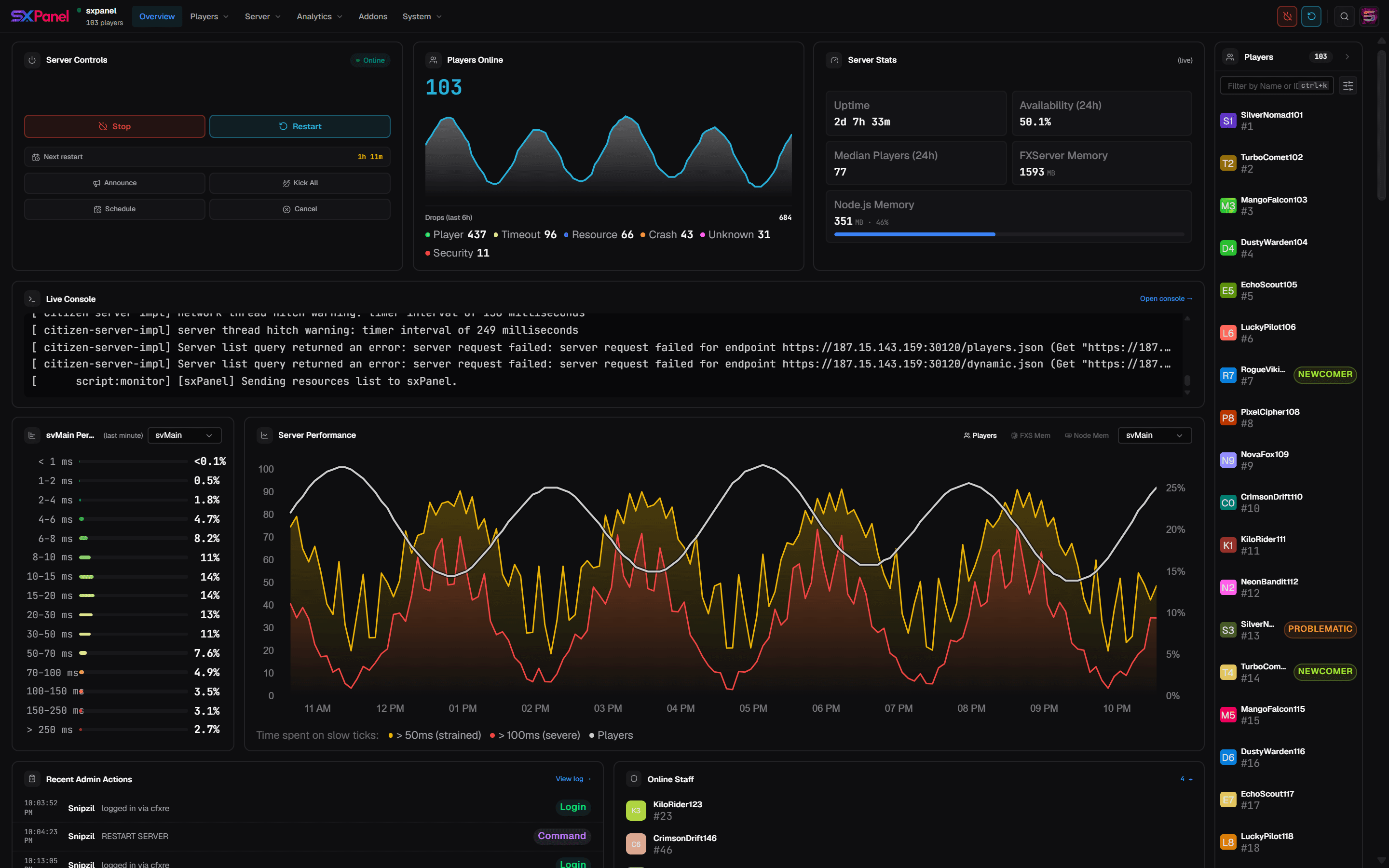
Manage your FiveM & RedM server from one powerful panel
Swap the folder, keep everything, get a lot more.
Live console, deep insights, player management, granular permissions and Discord integration — layered onto the txAdmin foundation you already run, with zero migration.
MIT licensed · Existing txData directories work without modification
Built to run serious servers
Seven pillars of functionality, each designed to replace a pile of separate resources and dashboards.
Understand how your server actually performs
Stop guessing. sxPanel turns raw server telemetry into clear, actionable insight — player trends, retention, peak hours and admin activity, all in one place.
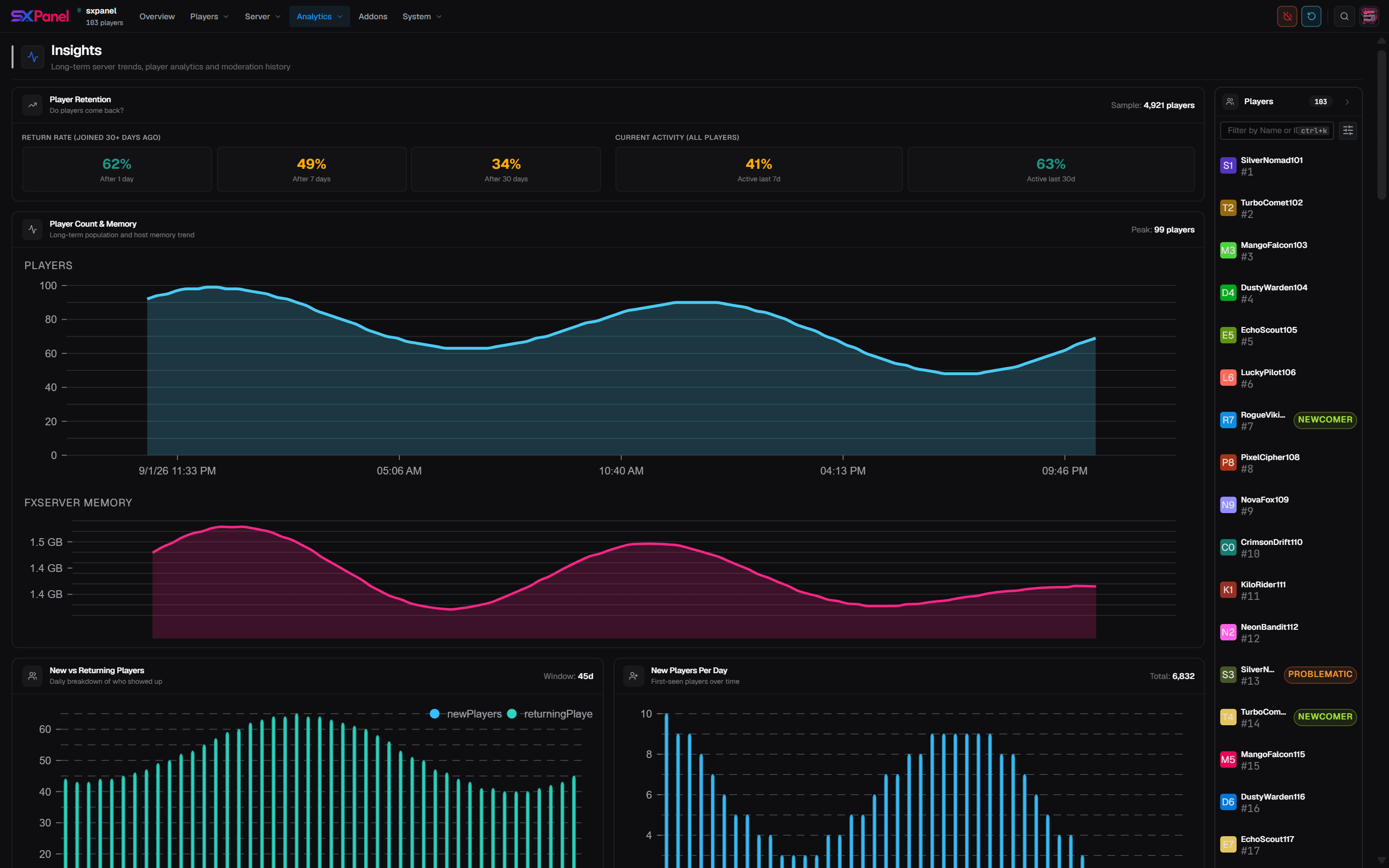
Live screenshot from the panel. Charts update in real time.
A true drop-in replacement
sxPanel is built on top of txAdmin with full compatibility for existing servers, databases and configurations. No new folder structure to learn — it drops into the artifacts you already deploy.
- 1
Download the latest release
Grab the newest sxPanel build from GitHub Releases.
- 2
Replace the monitor/ folder
Swap the monitor/ folder in your FXServer artifacts with the sxPanel build.
- 3
Start FXServer
Launch without +exec server.cfg — sxPanel starts automatically.
- 4
Open the panel URL
Visit the URL shown in the console to set up your account and server.
# in your FXServer artifacts
$ rm -rf monitor/
$ unzip sxpanel-latest.zip -d monitor/
# existing txData works as-is ✓
Full capability manifest
Beyond the highlights — the operational tools serious communities rely on.
Recipe-based deployer
Stand up a new server in under 60 seconds with declarative recipes.
GitHub token & headless CLI
Automate deploys and artifact pulls from CI without a browser.
Artifact management
Browse, pin and switch FXServer artifact builds from the panel.
Scheduled restarts
Cron-style restarts with postponable temp schedules and warnings.
Report system
In-game player reports with Discord alerts and a triage queue.
30+ languages
Localised panel and in-game menu, with community translations.
Run your server from Discord
An auto-updated status embed keeps your community informed, while a full suite of slash commands lets admins moderate without ever opening the panel.
Join the DiscordQuestions, answered
Still stuck? Ask in Discord →Take control of your server today
Download the latest release, swap the folder, and open the panel — you'll be up and running in minutes.